
Canvas has rolled out several new features for the Fall 2024 semester to enhance your teaching and streamline course management.
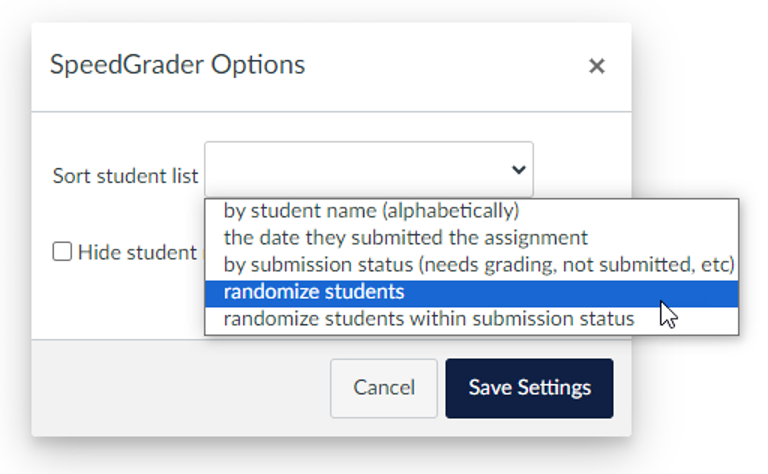
Randomize the Student List in SpeedGrader
SpeedGrader now includes an option to randomize the order in which students appear. This feature aims to reduce grading fatigue and bias. You can find this option by clicking the gear icon in SpeedGrader’s top-left corner. Once enabled, this setting will remain active until changed.
Tip: Combine this with the “Hide student names in the SpeedGrader” feature to further reduce bias.
Record a Screen Capture Video as a Feedback Comment in SpeedGrader
Canvas Studio is now integrated directly into SpeedGrader’s comment section, allowing you to record screencast videos as feedback. This feature requires using Chrome or Edge. Captions are automatically generated.
Tip: Practice using this feature by submitting an assignment as a “Test Student” and reviewing the feedback process. To do this, use the “View as Student” button on any assignment in Canvas to submit the assignment as “Test Student” in your course. Leave student view, and then use Test Student’s submission to practice using this new feature.

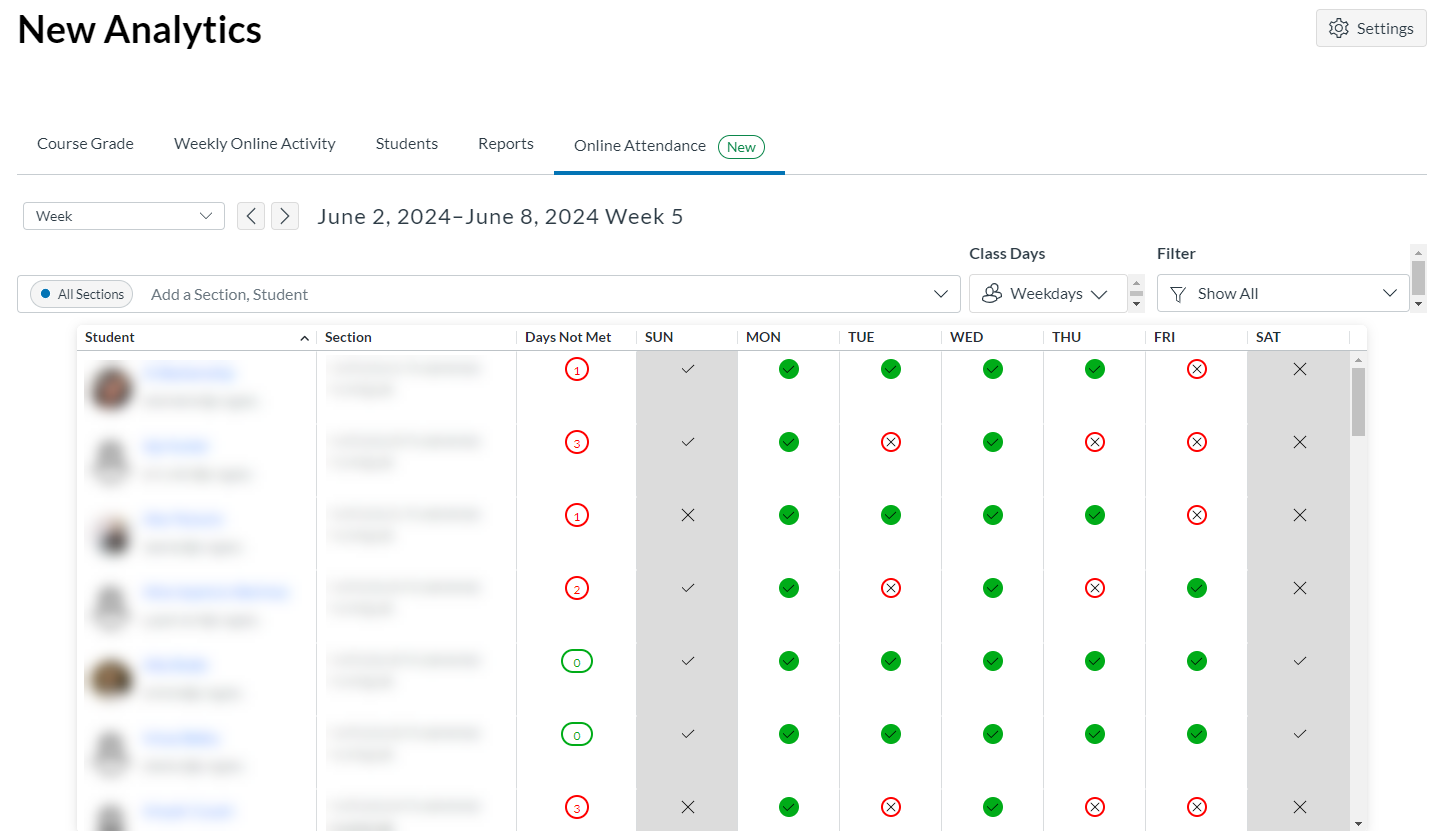
Track Online Attendance
A new “Online Attendance” tab is available in New Analytics. This dashboard shows which students have been active in your Canvas course. You can customize what counts as “attendance” through the Settings button. This dashboard gives you an overview of which students are “present” in your Canvas course by day.
Find and Replace in the Rich Content Editor
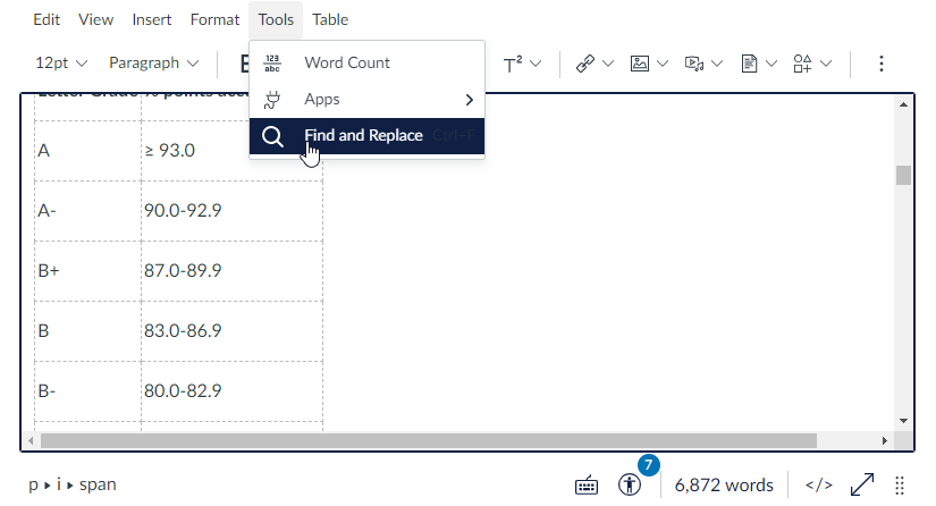
The Rich Content Editor now includes a “Find and Replace” tool under the “Tools” menu, making it easier to update content.
“Available Until” Dates on Announcements
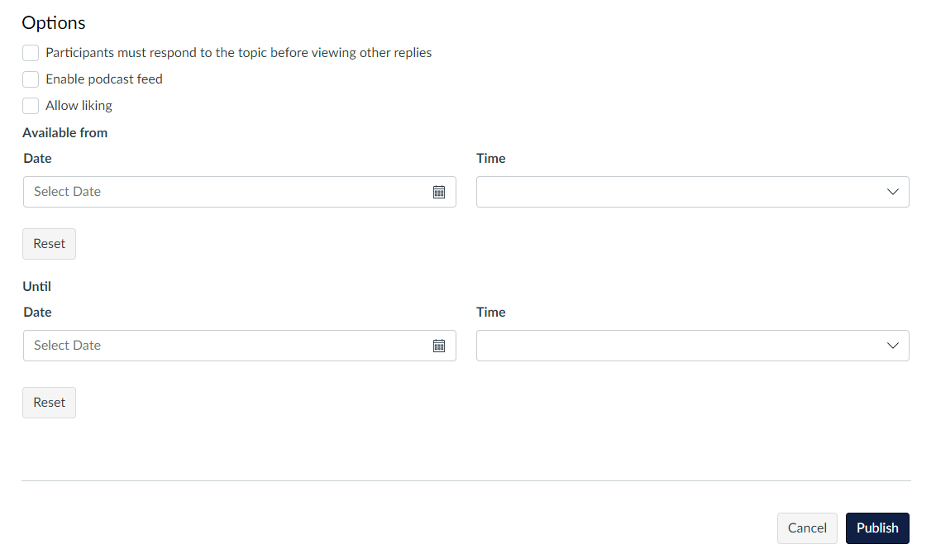
Canvas Announcements now have “Available From” and “Until” dates, allowing you to control when announcements are visible to students.
Module Differentiation
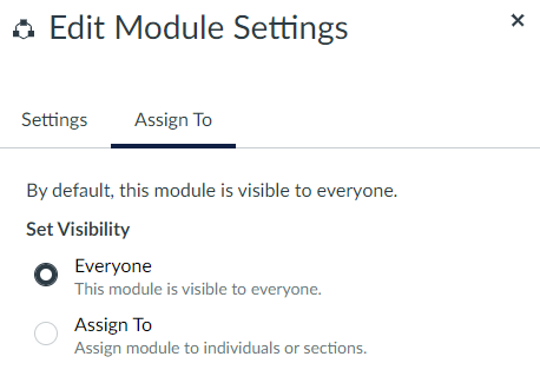
You can now differentiate modules by visibility through the “Assign To” option available in the module’s three-dot menu. This allows you to set visibility for individuals or everyone.
New Assignment Settings Interface
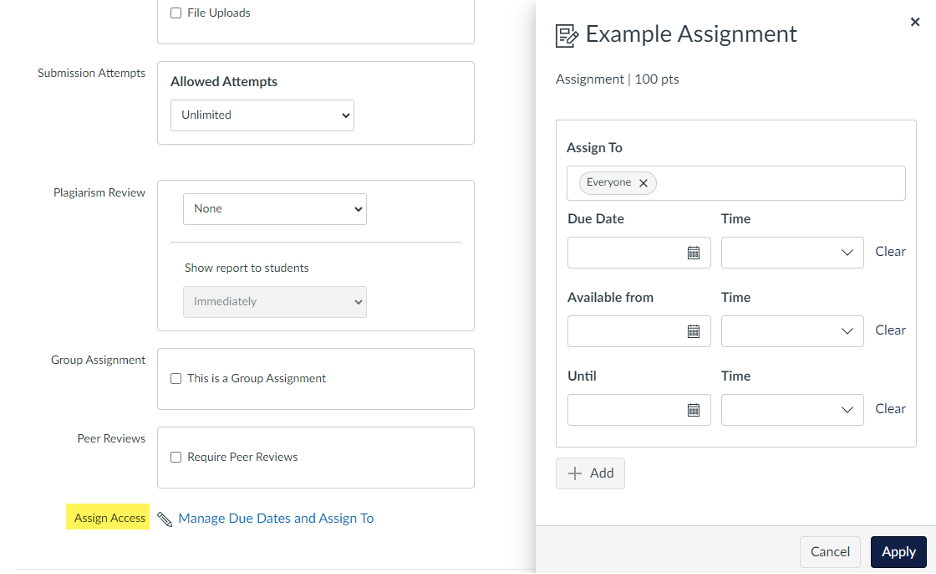
The interface for assignment settings has been updated. The “Assign To” section now appears in a new “Assign Access” tray where you can set due dates and differentiation options.
Availability Dates and Differentiation for Pages
Canvas Pages now support the “Assign To” option, allowing you to set availability dates.
AI (Artificial Intelligence) Feature Options
Canvas has introduced preview access to two new AI features that are still in development. These features are not enabled by default in your course, but they can be enabled:
- Go to Settings in your course.
- Click on the Feature Options tab at the top of the page.
AI features that you can enable:
- Smart Search:
- Once enabled, add the Smart Search link to your course navigation.
- This allows students to search through course content easily.
- Discussion Summaries:
- This feature provides an AI-generated summary of student responses in discussion boards.
- You can prompt the tool to focus the summary on specific aspects, like identifying misconceptions.
Members of the Instructional Support Network (ITS, UTLC, and Academic Technology Specialists) have extensively tested the AI Discussion Summaries. While this feature in Canvas shows promise, our testing revealed some concerns.
If you plan to enable this in your course, please reach out to your ATS for more information. Watch for events where you can actively engage with this feature, test it, and contribute to the discussion on its ethical use here at UNC Greensboro.
Support
If you need assistance with these new Canvas features, please contact your school’s Academic Technology Specialist or 6-TECH.
