

At approximately 4:00 p.m., the vendor and ITS confirmed that caller ID services have been restored.
If you continue to experience issues, please contact 6-TECH:
- 6-TECH online portal: Submit a ticket
- Call: 336-256-TECH (8324)
- Email: 6-TECH@uncg.edu
{Original Post: 8/13/25 at 2:53 p.m.}
ITS is aware of an issue affecting caller ID for incoming calls to UNCG. Caller ID information is not being received, which may prevent calls from going through to Microsoft Teams phones if certain settings are enabled.
If you use Microsoft Teams and have the Block calls with no caller ID option turned on, these calls may be blocked.
Workaround
If possible, uncheck the Block calls with no caller ID setting in Microsoft Teams to allow calls from campus landline phones to come through.
To change this setting in Microsoft Teams:
- Open Microsoft Teams.
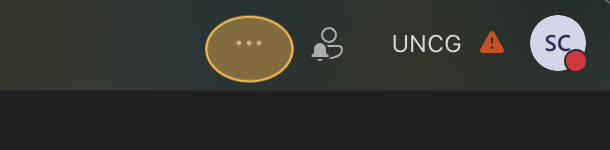
- Select the three dots by your profile picture in the upper-right corner.
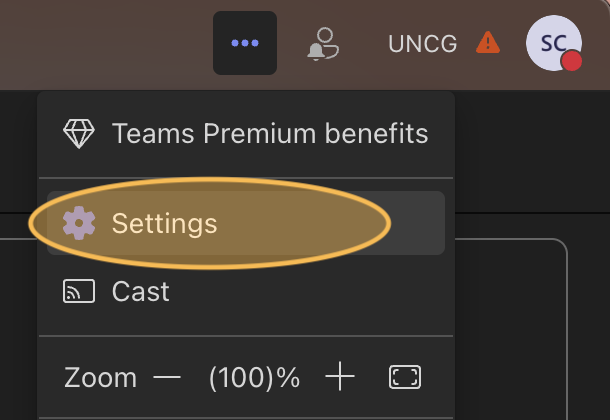
- Choose Settings from the menu.
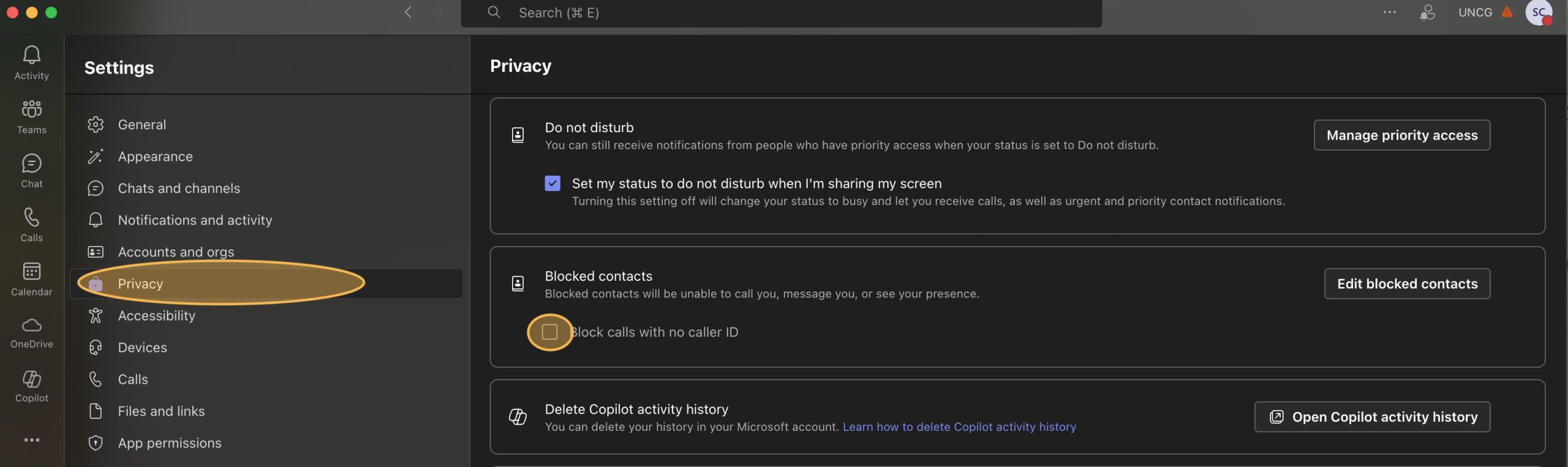
- In the left panel, select Privacy.
- Under Blocked Contacts, turn off (uncheck) Block calls with no caller ID.
ITS is actively working with our telephone carrier to identify the cause and resolve the issue as quickly as possible.
Follow the systems status page for the latest.
Need Help?
- 6-TECH online portal: Submit a ticket
- Call: 336-256-TECH (8324)
- Email: 6-TECH@uncg.edu
