


Kick off 2026 with a fresh lineup of tech training opportunities! This month’s schedule is packed with interactive webinars and hands-on workshops designed to help you explore new tools, sharpen your digital skills, and stay ahead in an AI-driven world. Whether you’re ready to build your first Copilot Chat Agent, dive into Canvas essentials, or unleash your creativity with Adobe Express, there’s something for everyone. Join us and make technology work smarter for you!
Featured Webinars
Choose your Own Adventure:
Canvas Training

This flexible Canvas session is designed for faculty at any stage of the journey—from first‑time explorers to seasoned adventurers. Shannon will guide the way, but participants decide where the adventure goes based on their questions, goals, and interests.
Buckets, Bridges, and Beyond: Your 2026 Personalized AI Roadmap

Join Timothy Lynch for a fun, fast-paced, and resource-heavy session where we’ll chart a course through the twists and turns of the AI-transformed workplace.
From Zero to Copilot Chat Agent Hero

Ready to build your first Copilot Chat Agent? This session walks you through the essentials—no coding required, just creativity and strategy.
Like Canva? You’ll Love Adobe Express.
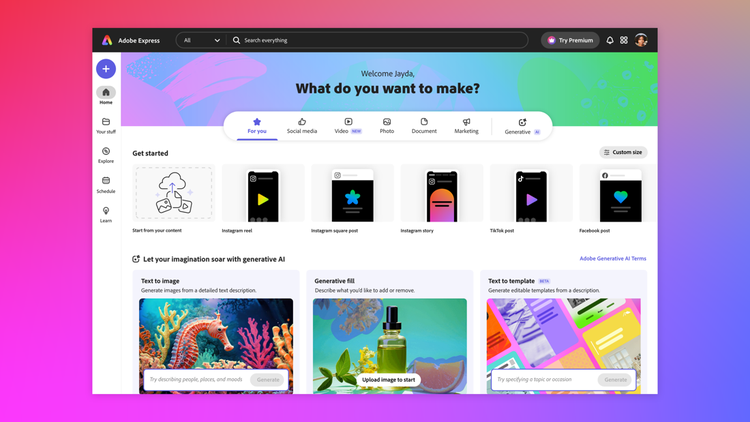
If you enjoy designing content in Canva, you’ll love Adobe Express—another powerful, easy-to-use design tool that takes your creativity to the next level. Best of all, Adobe Express is included as part of UNCG’s Creative Campus, so everyone can access it without paying premium fees.
WORKSHOPS IN FEBRUARY
Every Tuesday – Open Office Hours with ITS: Learning Tech’s Instructional Design Team
LINKEDIN LEARNING RECOMMENDATIONS
Copilot Agents: Build Your Own AI Assistant in Copilot and Teams (No Code Required)
Copilot agents are modified versions of Microsoft’s AI assistant that can help with specialized tasks using specific roles or parameters. This short introductory course introduces easy-to-use tools for creating your own customized agents so you can improve your workflows.
Everyday AI: 15 Practical Skills to Build Confidence With AI
Across 15 challenges, you will complete hands-on mini projects that help you write better prompts, organize your day, brainstorm creative ideas, turn voice notes into polished text, and automate tasks you repeat every week.
30 Practical AI Tips
How do you go from using AI to making AI useful to you? That’s what LinkedIn Principal Instructor Morten Rand-Hendriksen set out to find out in this 30 part series, originally published as a daily video and article on LinkedIn.
Have questions or suggestions? Email: itscomm@uncg.edu
