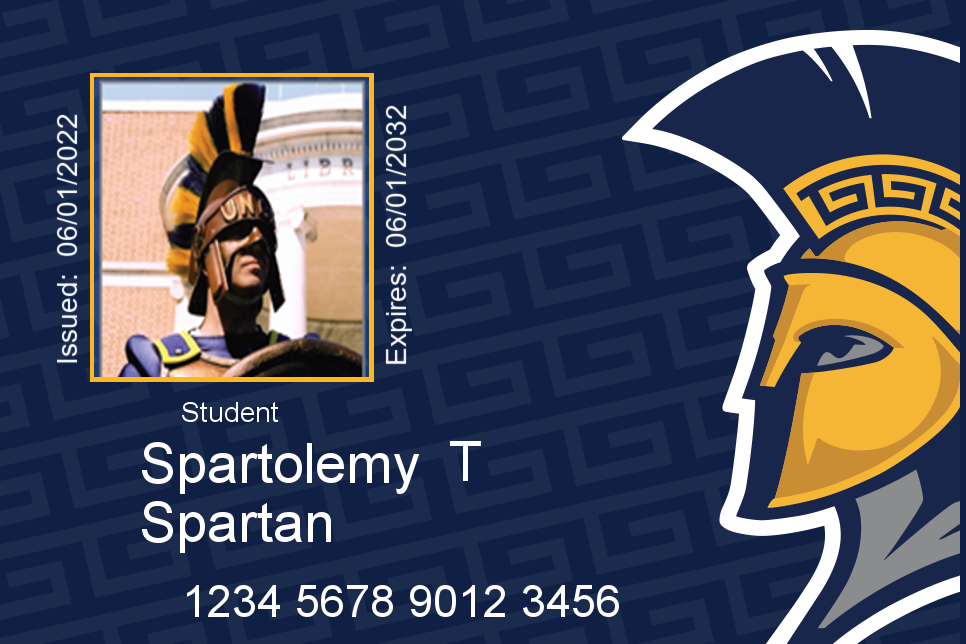
Example of SpartanCard

Students: Prepare Your SpartanCard for Student Printing

Who Is Affected?  Students who plan to use Student Printing during the Fall 2026 semester.  What Is Happening?  UNCG is introducing a new Student Printing service for Fall 2026. The new printers use your SpartanCard to securely release your print jobs.  Before you print for the first time this semester,… Continue reading…

Canvas logo with campus backdrop

Fall 2026 Canvas Updates for Instructors

As Fall 2026 courses get underway, instructors should be aware of several updates to Canvas and its integrated tools. Changes include new rubric and quiz features, Microsoft Education updates, accessibility tools, and updates to LockDown Browser and Turnitin.   Who Is Affected?  UNCG instructors who use Canvas and its integrated teaching tools.   What’s New in Canvas?  Enhanced… Continue reading…

Illustration of the UNCG campus with a Wi-Fi symbol and the words “UNCG Guest Wi-Fi.”

New Guest Wireless Portal | Monday, Aug. 10, 2026

ITS will launch a new self-service guest wireless portal for UNCG-Wireless on Monday, Aug. 10, 2026. The updated sign-in experience gives campus visitors additional ways to connect to the guest wireless network using email, text message (SMS), or a social login. Who Is Affected? What Is Happening? ITS is upgrading… Continue reading…

Start Strong

AUGUST Tech Training – Start Strong

Featured Webinars Instructional Videos with Clipchamp Clipchamp is a practical tool for turning PowerPoint presentations into polished videos with voiceover. Learn how to record and edit lectures and capture your screen for tutorials. Microsoft Bookings for  Office Hours Make it easier for students or colleagues to connect with you by… Continue reading…

Decorative illustration of the Microsoft OneDrive icon within Microsoft 365.

OneDrive Storage Quota Changing to 1 TB for Faculty and Staff | Tuesday, July 28, 2026 

Overview  Beginning Tuesday, July 28, 2026, ITS will update the Microsoft OneDrive storage quota for faculty and staff to 1 terabyte (TB).  This change is part of the University’s Data Retention Project, which is aligning storage services with long-term data management and retention practices.  Who Is Affected?  Faculty and staff who use UNCG Microsoft OneDrive.  What’s… Continue reading…

Illustration of technicians repairing network cables.

Campus Network Maintenance | Monday, July 27, 2026

ITS will perform scheduled software upgrades to network switches across campus. During the maintenance window, wired and wireless network services may be intermittent or temporarily unavailable in affected areas. Who Is Affected? Students, faculty, and staff on campus. What Is Happening? ITS will upgrade software on campus network switches to… Continue reading…

A hand holds a glowing digital key with a padlock symbol, representing secure digital identity and access.

Preferred UNCG Email Requirement Rollout Begins

UNCG is beginning a phased rollout of a new requirement for all active faculty, staff, and students to maintain their official UNCG-provided email address as their preferred email address in all University systems. Using your official UNCG email address as your preferred email helps ensure that important University communications related… Continue reading…

Decorative image Screenshot of the UNCG Academic Desktop loading screen in Citrix Workspace. A Windows 11 desktop background is displayed with a centered "Workspace Environment Management" dialog showing the UNCG and Citrix logos and the message "Please wait... Processing applications..." indicating the virtual desktop is initializing. The Windows taskbar is visible at the bottom.

MyCloud Changes | Aug. 10 – Aug. 13, 2026

Beginning Monday, Aug. 10, ITS will make several updates to MyCloud that simplify how Administrative and Academic applications are accessed and improve the desktop environment. These changes do not affect who has access to applications. Instead, they change how some applications are launched. Who Is Affected? All faculty, staff, and… Continue reading…

Silver Apple logo printed on a black background

FileVault for Macs | Monday, June 15, 2026

Who Is Affected? Faculty and staff who use a University-owned Mac computer for work. What Is Happening? ITS is enabling FileVault on University-owned Mac devices. FileVault is Apple’s built-in disk encryption technology that helps protect data stored on a Mac. Similar to BitLocker on Windows computers, FileVault encrypts the contents… Continue reading…